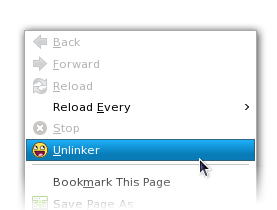
Installation:
AMO Alternative Download Link (Registration Required) »
Disable the "secure updates check": enter about:config into the address bar, right click on the page and create a new boolean value, name it extensions.checkUpdateSecurity and set it to false. Alternatively, here is a step by step video... If none of this makes sense to you, please just use the AMO link above.
Want to use Unlinker but don't have Firefox?
An unofficial unlinker for Internet Explorer can be found here.
Firefox 3 Instructions:
If you're using Firefox 3 and use the link above, you'll need to change this setting before Unlinker will install.Disable the "secure updates check": enter about:config into the address bar, right click on the page and create a new boolean value, name it extensions.checkUpdateSecurity and set it to false. Alternatively, here is a step by step video... If none of this makes sense to you, please just use the AMO link above.
Want to use Unlinker but don't have Firefox?
Click below to download:
An unofficial unlinker for Internet Explorer can be found here.
Friends :
- BeautyandtheBoost.com
- twinturbo.org
- NSFW Videos
- Ruby on rails blog
- Blog Ron Paul
- Jenn Thomas.com
- Miss Ron Paul
- The Hip-Hop Daily